Email Folders vs Labels
Discover the research-backed frameworks that determine whether rigid folders or flexible tags are the true key to reaching inbox zero.
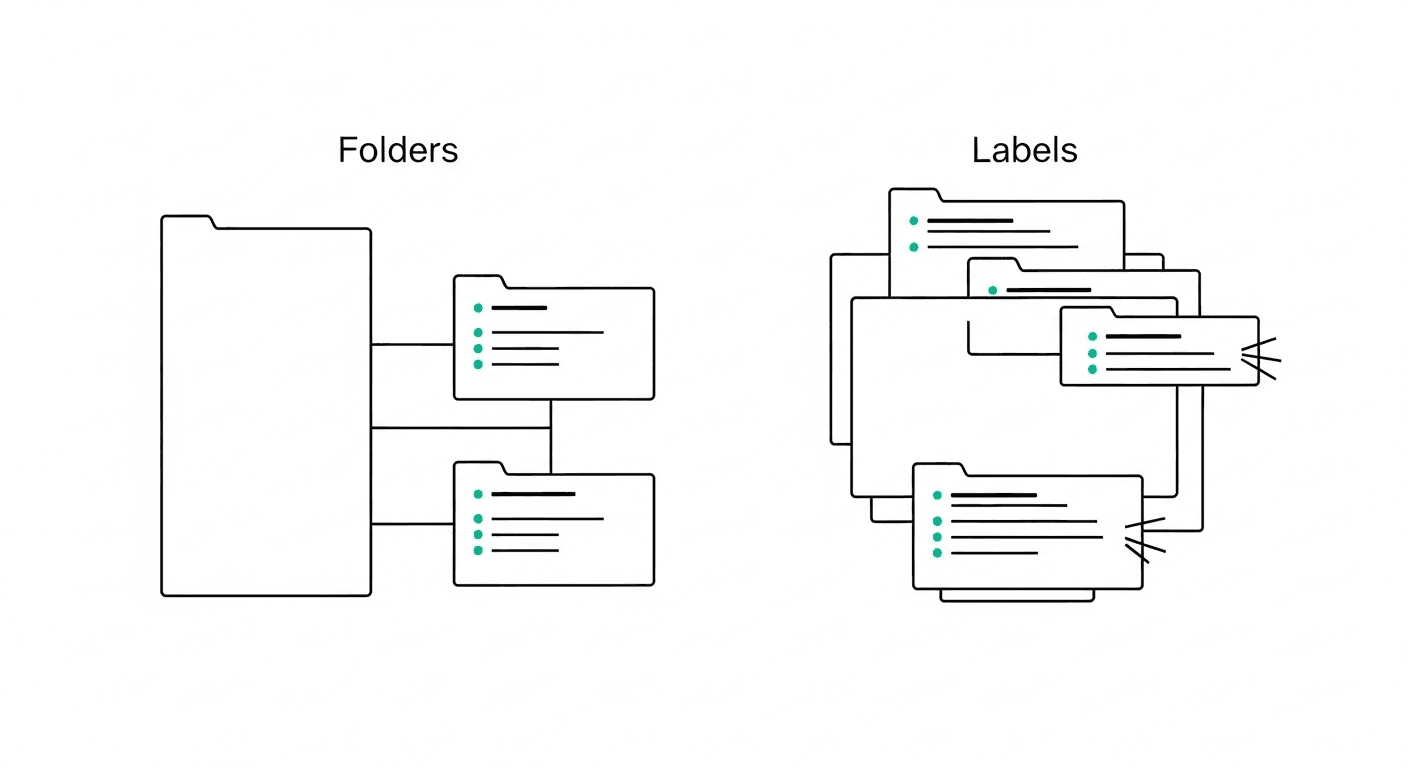
Picture this: It is 9:15 AM on a Tuesday, and your manager urgently asks for "that vendor contract we discussed late last month." You immediately open your inbox, and suddenly you are staring at a chaotic, digital landscape. Do you try a blind search? Do you frantically click through an intricate system of directories labeled by year, quarter, department, and client? Or do you rely on a color-coded array of tags that currently looks more like a messy rainbow than a streamlined productivity system? As the seconds tick by and your manager waits, the panic of poor organization begins to set in.
The debate over how to organize an inbox is practically as old as electronic mail itself. On one side, we have the folder loyalists—professionals who firmly believe every single message has one definitive home, neatly tucked away in a rigid, hierarchical structure. On the other side are the label enthusiasts, who argue that modern communication is too complex for single-location filing; to them, a single email can simultaneously be a "Project Update," an "Action Required" item, and part of the "Q3 Budget." Choosing the right system is not just about digital aesthetics. It is about reclaiming hundreds of hours of lost time, dramatically reducing your unread message count, and building a sustainable system that actually accelerates your daily output.
The Science
When we look at information retrieval behaviors, the debate between folders and labels quickly moves from personal preference to empirical data. A landmark study conducted by researchers at IBM (including Steve Whittaker in 2011, titled "Am I wasting my time organizing email?") sought to determine exactly how people manage their inboxes and which methods lead to the fastest retrieval times. The researchers tracked 345 users and analyzed over 85,000 emails to see whether strict filers or flexible searchers performed better under pressure.
The results were a massive blow to folder loyalists. The study found that creating strict, deeply nested folders is highly inefficient. People who relied on basic search functions and minimal structural sorting actually retrieved their emails significantly faster than those who created complex folder hierarchies. The "filers" spent massive amounts of time deciding where to put an email and equally large amounts of time clicking through directories to find it again, often forgetting exactly which rigid category they had chosen months prior.
Furthermore, research in human-computer interaction highlights a phenomenon known as the "classification problem." When an email arrives, forcing it into a mutually exclusive folder requires you to make a definitive choice about its primary nature. Is an email from marketing about a new product feature a "Marketing" email or a "Product" email? If you only use folders, you must choose one, which artificially strips the message of its dual context. Labels, however, support "polyhierarchy"—the ability to assign multiple overlapping attributes to a single piece of data. Statistically, systems that allow polyhierarchy reduce retrieval failure rates by allowing users to locate information using whatever contextual clue they remember first.
The Framework
To build an inbox that serves your workflow rather than hindering it, you need to understand the structural advantages of both tools and combine them into a practical system. Here is an actionable framework to restructure how you manage incoming communications.
Acknowledge the Classification Problem Before changing your system, recognize the fundamental difference between the two tools. Folders are mutually exclusive; an email physically moves from the inbox into one specific location. Labels are overlapping attributes; the email can remain in a primary location while wearing multiple contextual tags. Acknowledging this difference is the first step to stopping the endless creation of hyper-specific folders.
Embrace Broad Buckets for Folders If you use folders, restrict yourself to incredibly broad, macro-level categories. A highly effective system often uses just three or four primary folders: "Inbox" (for unprocessed items), "Archive" (for processed items with no further action needed), "Action Required" (for emails requiring a reply or deep work), and "Awaiting Response" (for delegated items). By keeping folders broad, you completely eliminate the friction of deciding where a specific client email belongs.
Leverage Labels for Granular Context Once you have your broad folder buckets, use labels to add the necessary granularity. Labels excel at tracking status, priority, and project affiliation. Because labels are not mutually exclusive, an email sitting in your "Action Required" folder can be tagged with both "Vendor Management" and "Urgent." This allows you to filter your view dynamically based on what you need to focus on right now, without losing the email in a labyrinth of sub-directories.
Standardize a Prefix System for Tags If you allow your labels to grow organically, you will eventually end up with hundreds of useless tags. Implement a prefix system to keep them organized alphabetically in your sidebar. For example, use "@" for time or status tags (e.g., @Urgent, @Waiting), use "#" for specific projects (e.g., #WebsiteRedesign, #Q4Launch), and use standard text for broad categories (e.g., Finance, HR). This forces your email client to group related tags together visually.
Automate the Triage Process Both folders and labels are useless if you have to apply them manually to every single piece of junk mail or recurring newsletter. Set up robust filtering rules. Tell your email provider to automatically apply the "Receipts" label and move the email directly to the Archive folder whenever you receive an invoice from a known software subscription. Automating the filing of predictable emails leaves your actual inbox reserved purely for novel, important communications.
Practical Application
How does this framework look in action? Let us explore a few real-world scenarios where combining broad folders with specific labels streamlines everyday office challenges.
Consider the "Invoice Approval" workflow. You receive an email from a freelance designer with an attached invoice for their recent project. In a purely folder-based system, you might agonize over whether to file it under "Freelancers," "Design Department," or "Finance." In a modern hybrid system, you leave it in your Inbox or move it to your broad "Action Required" folder. You then apply three labels: "@Urgent," "Finance," and "#WebsiteRedesign." When you sit down on Friday to process payments, you simply click the "Finance" label and see every related email instantly, regardless of which project it belongs to. Once paid, you remove the "@Urgent" label and move the email to the Archive folder. The data is saved, the context is preserved, and the action is completed.
Another highly relatable scenario is the "Cross-Functional Initiative." You receive an email from the legal department outlining compliance changes for a new marketing campaign. This impacts both the Legal and Marketing teams. A strict folder system forces you to hide this email from one of those contexts. By using labels, you simply tag the email with "Legal" and "Marketing." Later, when you are preparing for a marketing team sync, you pull up the Marketing label and the compliance email is sitting right there. When you are preparing for a quarterly legal review, pulling up the Legal label reveals the exact same email.
These applications demonstrate the ultimate goal of email management: surfacing exactly what you need, exactly when you need it, without requiring you to remember the intricate logic of a filing system you created six months ago.
High-Performer Takeaway
The most successful professionals understand a critical truth about email: your inbox is not a library meant for complex cataloging; it is a rapid-processing center for actions and information. High performers know that the ultimate goal is not to hoard beautifully organized emails, but to extract the necessary tasks, respond efficiently, and archive the rest.
This is where Hello Aria revolutionizes the process. Hello Aria is a Universal Productivity Platform that bridges the gap between your inbox and your actual work execution. Instead of agonizing over whether an email belongs in a specific folder or needs a specific label, you can immediately turn that message into an actionable item. Because Aria directly integrates seamlessly with Gmail and Microsoft Mail (as well as Google Drive, Microsoft OneDrive, Google Calendar, and Microsoft Calendar), you can view everything in one centralized dashboard.
More importantly, when an email contains a crucial task, you can simply chat with Aria on WhatsApp, Telegram, or the web app to capture it immediately—no app switching needed. Just message Aria on WhatsApp: "Remind me to review the vendor contract email from Sarah tomorrow at 9 AM." Aria instantly captures this in its own built-in todo list and smart reminders system. There is no need to sync to third-party task apps. If an email sparks a team-wide initiative, you can leverage Aria's "Circles" feature for seamless team coordination and automated follow-ups.
Whether you are capturing voice-to-text action items on the iOS app (available on the App Store) while commuting, or using WhatsApp meeting notes to generate summaries from group chats, Hello Aria ensures that your communications instantly translate into organized output. By relying on broad folders, smart labels, and Hello Aria's built-in productivity engine, you can finally stop managing your email and start acting on it.